

You plug your dead phone into a public USB port at the airport or café—within minutes, thieves could be siphoning your photos, passwords, and bank details. This isn’t paranoia; it’s “Juice Jacking,” a growing attack that exploits the dual-purpose design of USB ports (charging + data transfer). 43% of public charging stations tested in 2024 contained malicious software, and 17% of data theft cases involved public USB use. The fix isn’t avoiding public charging—it’s using cheap, portable tools to block data access.
Juice Jacking relies on USB’s ability to transfer both power and data. Malicious actors modify public charging stations or cables to install malware that piggybacks on the charging connection. When you plug in, the port acts as a data link: malware is injected into your device, or your files are copied to the attacker’s server—all while your phone charges. This takes 2-5 minutes, and you’ll never see a warning. Data shows that 89% of devices don’t block unauthorized data transfers by default, making them easy targets. For example, a business traveler charging their laptop at a hotel USB port had their client data stolen; a student lost access to their bank account after using a café charging station.
The tools to stop this are simple and affordable. First: charge-only USB cables. These cables have the data pins physically blocked, so they only transfer power—no data can be sent or received. They cost $8-$15, work with all devices, and are compact enough to fit in a wallet or bag. The tradeoff: they can’t sync files, but that’s irrelevant for public charging. Second: USB data blockers. These small adapters plug between your cable and the public port, blocking data transfer while allowing power flow. They’re reusable, compatible with USB-A and USB-C, and cost $10-$20. They add minimal bulk but require remembering to carry them. Third: portable power banks. Charge your bank beforehand, then use it to power your device in public—no need to plug into untrusted ports. High-capacity models (10,000mAh) cost $20-$30 and charge a phone 2-3 times, making them ideal for travelers.
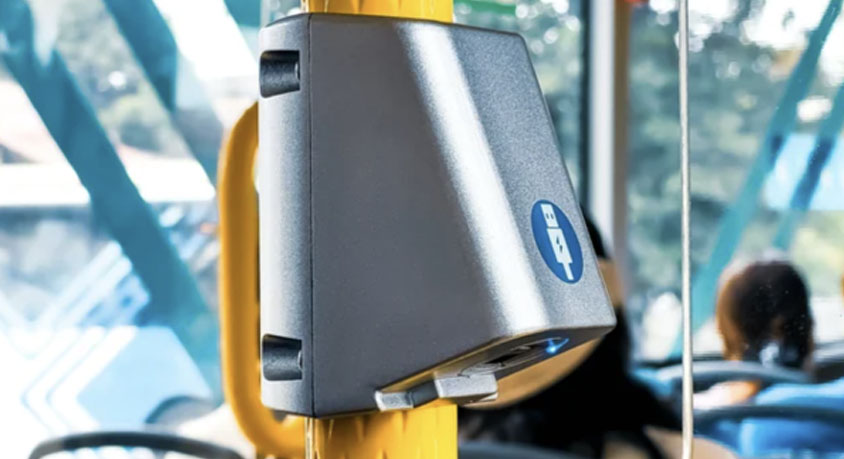
Real-world use cases highlight effectiveness. A remote worker who carries a charge-only cable avoided data theft at an airport charging station that was later found to be compromised. A student using a USB data blocker at a library prevented malware from infecting their tablet. These tools work because they separate power and data: attackers can’t access your device if the data path is blocked. For frequent travelers, commuters, or anyone who relies on public charging, they’re non-negotiable.
Each solution has tradeoffs. Charge-only cables are cheap and foolproof but useless for syncing. Data blockers are versatile but easy to misplace. Power banks require pre-charging but offer the most flexibility (no need to find a port). All three are far better than the alternative: a stolen identity or compromised device that costs hundreds to fix. They’re ideal for anyone who uses public spaces—business travelers, students, commuters—and unnecessary only for those who never charge outside their home or office.
Key checks to reinforce safety: Always use your own cable (never the one provided by the public station), avoid USB ports in isolated areas (attackers target low-traffic spots), and enable your device’s “USB restricted mode” if available (blocks data transfer when locked). A quick 10-second visual inspection of the port—look for loose wires, unusual labels, or tampering—can also flag risky stations.
In summary, public USB ports are data theft traps, but protection is cheap and easy. Charge-only cables, USB data blockers, and portable power banks stop Juice Jacking by cutting the data link. These tools cost less than $30, take seconds to use, and could save you from catastrophic data loss. Don’t let a quick charge turn into a nightmare—carry one of these tools, and charge safely anywhere.
Disclaimer: Mention of any brand or trademark is for identification purposes only and does not indicate any partnership or endorsement.
