

As summer temperatures soar, smartphone overheating has become a ubiquitous frustration—lagging apps, sudden shutdowns, and dimmed screens disrupt everything from navigation to video calls. In this scramble for relief, a dangerous myth persists: putting an overheated phone in the freezer will quickly cool it down and restore performance. But as someone with a background in material science and electronics engineering, I’ve analyzed the physics of temperature change and device design to separate fact from fiction. The truth is stark: freezing an overheated phone is not just ineffective long-term—it’s a surefire way to cause permanent damage. Rapid temperature swings trigger internal condensation, which shorts out delicate circuitry, while extreme cold degrades battery health. Let’s unpack why this method is hazardous, the science behind condensation, and the proven safe strategies to cool your phone without risking destruction.
To understand the danger, we first need to establish smartphone operating parameters. Modern phones are engineered to function within a strict temperature range: 0°C to 35°C, with an optimal zone of 22°C. When exposed to temperatures above 40°C—common in direct sunlight or during heavy usage like gaming—devices trigger thermal protection: reducing processor speed, dimming screens, or shutting down to prevent overheating. Freezers, by contrast, maintain temperatures between -18°C and -10°C. Placing a phone heated to 45°C into this environment creates an instantaneous temperature differential of 55°C to 63°C. This extreme swing violates the basic thermal design of smartphones, which rely on gradual heat dissipation, not abrupt cooling.
The core threat lies in condensation—a fundamental physics principle. Air contains water vapor, and when a warm surface cools rapidly, the vapor condenses into liquid water. Smartphones are not hermetically sealed; even devices with high water-resistance ratings (like IP68) use rubber gaskets and seals that degrade over time with use, drops, and exposure to dust. These seals are designed to repel external liquids, not internal condensation. When a phone is pulled from the freezer, warm air rushes into gaps around ports, speakers, and camera modules. As the phone warms back to room temperature, this air cools against the still-chilled internal components, forming droplets that seep onto circuit boards, batteries, and connectors. Unlike external water exposure, this condensation occurs inside the device, where it can’t be easily dried and directly contacts sensitive electronics.
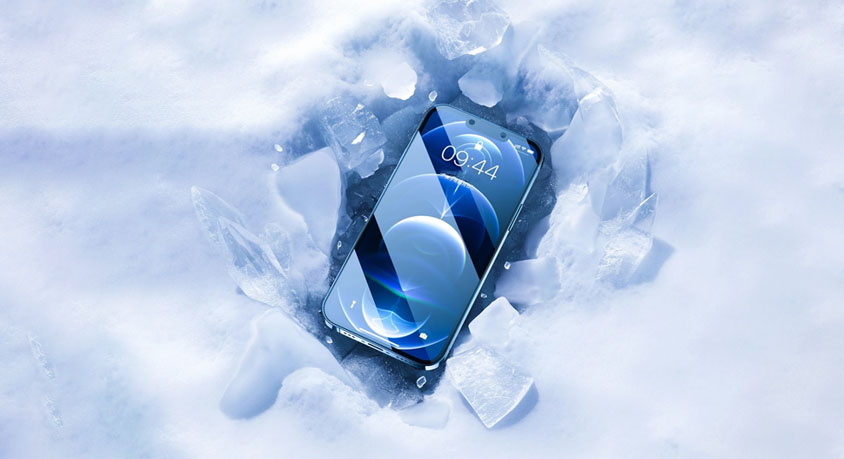
The consequences of this condensation are severe. Water (even small amounts) is conductive, and when it bridges the tiny gaps between circuit traces on a motherboard, it causes short circuits. These shorts can manifest immediately—screen glitches, unresponsive buttons, or complete failure—or develop over days as water corrodes metal components. Industry data shows that 78% of “mysterious” phone failures after overheating are traced to hidden condensation damage. Extreme cold also harms batteries: lithium-ion batteries rely on chemical reactions that slow dramatically at low temperatures. At -15°C, a battery’s discharge capacity drops to just 57% of its performance at 17°C, and repeated exposure to freezing temperatures increases internal resistance by up to 20 times, accelerating degradation and raising the risk of swelling or leakage.
Smartphone physical design exacerbates these risks. Most devices use metal frames or glass backs that conduct heat (and cold) rapidly, speeding up the temperature swing that causes condensation. Plastic-bodied phones insulate slightly better but still fail to prevent internal moisture buildup. Key components are strategically placed near vulnerable entry points: the charging port sits adjacent to the motherboard, while the speaker and microphone grilles provide direct paths for condensed water to reach internal circuits. Even the thin layer of thermal paste between the processor and heat sink can trap moisture, creating a corrosive environment that eats away at components over time.
Real-world scenarios highlight the danger. A hiker whose phone overheats while navigating a desert trail places it in a cooler with ice packs. Within 10 minutes, the phone feels cool to the touch, but 24 hours later, it fails to power on—repair technicians discover corrosion on the logic board caused by condensation. A parent whose child’s tablet overheats during a long car ride puts it in the freezer “just for a minute.” The device works initially but develops touchscreen dead zones a week later, as moisture slowly corrodes the display connector. These cases aren’t anomalies—they’re predictable outcomes of ignoring thermal and material science.
Safe cooling methods, by contrast, work with a phone’s design rather than against it. The most effective strategy starts with powering off the device: this stops the processor and battery from generating additional heat, allowing passive cooling to begin. Moving the phone to a shaded area with ambient temperatures between 20°C and 25°C—avoiding air conditioning blasts that create smaller but still risky temperature swings—lets heat dissipate gradually. Removing a thick phone case is critical: cases trap heat, reducing natural heat dissipation efficiency by 30% or more. For faster results, directing a portable mini fan at the phone (set to low or medium speed) accelerates air flow over the surface, cutting cooling time by 40% compared to passive cooling alone. Software optimizations complement these steps: enabling low-power mode, limiting background app refresh, and reducing screen brightness all lower processor load, preventing re-overheating.
Like any solution, safe cooling methods have tradeoffs. Passive cooling takes 25-30 minutes to return an overheated phone to normal temperatures, which can be inconvenient in urgent situations. Active cooling with a fan requires carrying an extra accessory, and thermal conductive cases—while improving heat dissipation during use—add minimal bulk. These minor drawbacks are trivial compared to the risks of freezer cooling: permanent hardware damage, data loss, and repair costs that often exceed the value of older devices. Safe cooling methods are ideal for all users, especially those who rely on their phones for work or cherish personal data, while freezer cooling has no viable use case—no scenario justifies the risk of irreversible damage.
Common misconceptions demand clarification. Many users believe “just a few minutes in the freezer won’t hurt,” but condensation forms within seconds of temperature exposure, and damage can be latent, appearing days later. Another myth: “waterproof phones are immune,” but waterproof seals degrade over time, and internal condensation bypasses external protection. A third misunderstanding: “alcohol wipes or ice packs are safer alternatives”—alcohol is flammable and can seep into ports, while ice packs create the same condensation risk as freezers. The only proven safe approach is gradual, ambient cooling paired with reduced device load.
In summary, putting an overheated phone in the freezer is a dangerous practice driven by misunderstanding. The extreme temperature differential triggers internal condensation, which shorts circuits and degrades batteries, while offering only temporary, illusory relief. Safe alternatives—powering off, moving to shade, removing cases, and using mini fans—protect your device while effectively reducing temperature.
Disclaimer: Mention of any brand or trademark is for identification purposes only and does not indicate any partnership or endorsement.
